

How to Design Custom Military Unit Patches: Step-by-Step
Last Updated: October 23, 2026
Quick Summary
Design custom military unit patches by starting with a one-page design brief that locks down purpose, audience, size, colors, and deadline before any artwork begins. Then sketch concepts from unit history, redraw in vector software, simplify for thread, and get written approval before production.
- A design brief prevents redesigns by fixing purpose, audience, size, colors, and deadline up front.
- Vector software like Illustrator or Inkscape is required because embroidery machines read vector paths, not pixels.
- Limit the palette to a handful of solid colors and thicken thin lines so details survive stitching.
- Official unit insignia requires heraldry review and written approval before production.
- Budget by cost drivers: quantity breaks, one-time digitizing, stitch count, upgrades, and turnaround.
Table of Contents
- Start With a Design Brief for Your Custom Military Unit Patches
- Military Unit Patch Design Ideas That Carry Unit Identity
- Military Patch Symbols and Meanings: Choosing Imagery That Reads Clearly
- Military Patch Design Software and Tools for Clean Artwork
- Creating Custom Unit Patch Artwork: From Sketch to Production File
- Choosing Patch Shape, Size, Materials, and Construction
- Regulations, Approvals, and Operational Security for Unit Patches
- Budgeting, Ordering, and Reviewing a Design Proof
- Frequently Asked Questions
Start With a Design Brief for Your Custom Military Unit Patches
Most military unit patches projects go sideways before anyone opens a design program. The problem is a missing brief. A design brief is a one-page written plan that locks down purpose, audience, size, colors, and deadline before artwork starts.
Answer these questions first:
- What is the patch for? A unit morale patch, a deployment memento, or a reunion keepsake each call for different artwork.
- Who wears it? Active duty, veterans, family members, or collectors.
- Where will it sit? Cap, jacket, backpack, or display board.
Write the answers down. Share them with everyone who has a say. A brief that lives in one person's head is not a brief.
Military Unit Patch Design Ideas That Carry Unit Identity
Strong military unit patch design ideas start with the unit's story, not with clip art. Identity comes from shared history, mission, nickname, and home station. Pull from those sources first.
Here's where good concepts come from:
- Mission and role: What the unit actually does, shown through a tool, animal, or action.
- Nickname and call sign: If the unit already has one, build the image around it.
- Home station or region: A landmark, terrain feature, or state symbol.
For readers who want a primer on the formal types of Army unit patches and insignia before they sketch, our guide to Army unit patches and insignia breaks down the categories.
Keep the concept to one clear idea. A coaster-sized patch cannot carry five symbols and a paragraph of text, pick the strongest image and let it do the work.
Military Patch Symbols and Meanings: Choosing Imagery That Reads Clearly
A patch symbol has about two seconds to communicate. If a viewer has to study it, it has failed. Choose imagery with instant recognition and strong contrast.
Test every symbol against these questions:
- Does it read at arm's length? Shrink your sketch to actual size and look at it from a few feet away.
- Is it respectful? Avoid imagery that mocks service or borrows from another branch's traditions.
- Is it original? Do not copy an existing unit crest or emblem wholesale.
Common symbols carry well-known meanings: eagles for national service, anchors for naval heritage, stars for rank and excellence, and shields for defense.
Text needs the same discipline. Keep mottos short. Choose a bold, simple typeface. Skip script fonts, which turn to mush at small sizes.
Military Patch Design Software and Tools for Clean Artwork
The best military patch design software is vector software, because embroidery machines read vector paths, not pixels. Vector files scale cleanly and convert to stitch files without losing detail.
Your realistic options:
- Adobe Illustrator: The industry standard for vector artwork. Best for anyone producing production-ready files.
- Inkscape: Free and open source. Handles vector work well for a simple patch.
- CorelDRAW: Common in embroidery shops and sign work.
Free tools like Canva are fine for rough sketches but not production files, a raster image must be redrawn by your patch maker, and that redraw is where details get lost.
What most guides miss is file format. Ask for and supply vector formats, and know what each one does:
| Format | Best Use | Notes |
|---|---|---|
| Vector (AI, EPS, SVG) | Production artwork | Scales cleanly, converts to stitch files |
| Proofs and sharing | Keeps layout fixed across devices | |
| JPEG or PNG | Quick previews only | Pixel-based, loses detail when enlarged |
If you are not a designer, a hand-drawn sketch scanned at high resolution is a perfectly good starting point. Most patch makers redraw client sketches as part of the process.
Creating Custom Unit Patch Artwork: From Sketch to Production File
Custom unit patch artwork moves through six stages. Skipping any one is how a design that looks great on screen becomes a patch that disappoints.
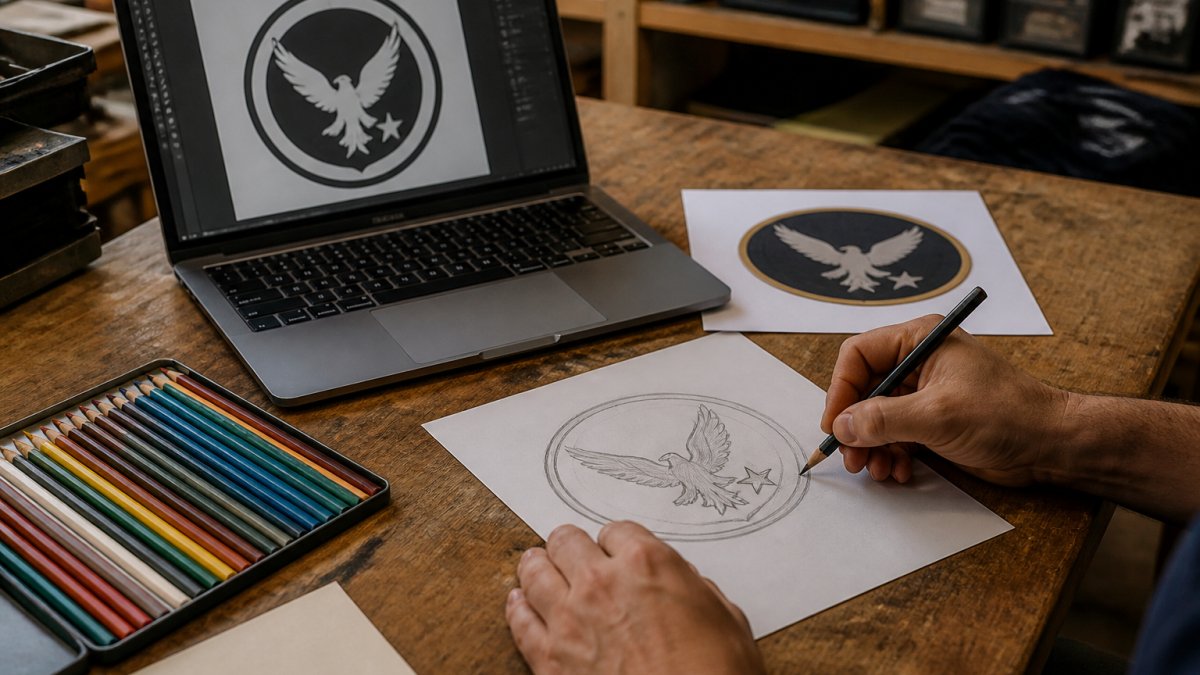
- Sketch on paper. Rough out three or four versions. Pencil is faster than software at this stage.
- Pick one direction. Get sign-off from your unit point of contact before going digital.
- Redraw in vector software. Build clean shapes with closed paths and no stray anchor points.
- Set the color palette. Limit yourself to a handful of solid colors. Fewer colors mean cleaner stitching.
- Simplify for thread. Thicken thin lines, remove tiny details, and merge shapes where possible.
- Export the production file. Supply vector artwork plus a PDF proof for reference.
Want to see what the finished artwork should look like? Our Beachmaster Unit 2 iron-on patch shows how a clean unit design reads once it is stitched.

Before you send the file, print it at actual size and pin it to a jacket.
Choosing Patch Shape, Size, Materials, and Construction
Patch construction decides how your design survives real use. Shape, size, material, and stitching all affect both look and lifespan.
Start with shape. Round, oval, shield, and rectangular are the most common. A shield shape suits unit crests.
Size matters more than most people expect.
Then pick construction:
92nd Military Police Brigade →
- Embroidery: The standard for unit patches. Durable, textured, and holds color well.
- Woven: Finer detail than embroidery, good for small text.
- PVC: Rubberized, waterproof, and tough. Popular for field use.
Embroidery wins for most unit patches because it holds up to washing, sun, and abrasion, and the raised stitching reads clearly at a distance. Our article on why embroidery is better for tactical gear explains the reasoning in more depth.
Finish choices round out the build:
- Border: Merrowed edge for a classic look, or a clean stitched border.
- Backing: Iron-on, sew-on, or hook-and-loop. Hook-and-loop lets wearers swap patches on a cap or bag.
Pick the backing that matches how the patch will be worn. Iron-on is fast and simple.
Regulations, Approvals, and Operational Security for Unit Patches
1. Heraldry and insignia approval. Official unit insignia, crests, distinctive unit insignia, shoulder sleeve insignia, is controlled design.
2. Uniform wear rules. Even an approved patch has to be worn correctly.
**3.
Use this opsec checklist before you approve any artwork:
- No deployment or rotation dates
- No forward operating base, port, or installation names tied to a current mission
- No personnel names, call signs, or roster numbers
A useful test: if a stranger could learn something operationally useful by reading the patch, cut it.
Official vs. morale vs. commemorative. These are three different approval paths, and conflating them is the most common mistake:
- Official unit insignia: Requires heraldry review and uniform authorization. Do not produce without written approval from the approving authority.
- Morale patch: Typically a unit-level or command-level item. Approval usually sits with the commander or first sergeant, not the heraldry office, but confirm locally, because policies vary by command and change over time.
- Commemorative or reunion patch: A private item for veterans, families, or collectors. It should be clearly distinct from official insignia and must not imply official endorsement.
Get it in writing. Whatever the path, ask for written approval of the design and quantity before ordering.
If you are designing a personal or commemorative patch rather than an official one, say so plainly in the brief and keep the artwork visually distinct from official insignia, that single step prevents most post-production problems.
Budgeting, Ordering, and Reviewing a Design Proof
Most patch pricing pages give a single per-patch number and stop. The useful version is a cost-driver model you can apply to any quote. Build your budget around five levers, in the order they usually move the price:
1. Quantity. Unit price drops as quantity rises because setup and machine time spread across more pieces. Most makers set a minimum order quantity, and small runs carry a higher unit price. Ask for a quantity-break table (for example, price at 25, 50, 100, and 250) rather than a single quote, the break points show where real savings start.
**2.
3. Size and stitch count. Larger patches and denser designs mean more stitches and machine time. Heavy fills, gradients, or fine detail cost more than a simple two-color emblem at the same size.
4. Backing and finish upgrades. Hook-and-loop backing, specialty borders, and specialty materials (PVC, leather, woven) add cost over a standard embroidered patch with a merrowed edge and sew-on backing.
5. Shipping and turnaround. Standard production lead time is cheaper than rush.
A practical way to plan: get quotes at two quantities and two turnarounds, then compare total landed cost (patches + digitizing + upgrades + shipping) rather than unit price alone. The cheapest unit price is often not the cheapest order.
Reviewing the proof like a professional. A design proof is the maker's rendering of your patch before production, your last chance to catch problems that are expensive to fix after the run. Review it against this list:
- Text is spelled correctly and readable at actual size
- Colors match your approved palette (ask for thread color numbers, not screen colors)
- Shape and dimensions are correct
Two proof-review habits separate a clean order from a rework:
- Print the proof at actual size and view it from arm's length. If the motto is unreadable or the symbol turns to mud at real size, fix it before production, not after.
- Ask for a physical pre-production sample on large orders. A screen proof cannot show thread texture, true color, or how the backing behaves. A sample costs more up front and saves far more than it costs when the run is wrong.
Once the proof is signed off, confirm turnaround in writing and keep the approved proof with your order records, that record protects you if the delivered patches do not match what was approved.
Frequently Asked Questions
What should be included in a military unit patch design?
A strong military unit patch design includes the unit's identity, a clear central symbol, a motto or text that reads at small size, and a limited color palette. Start with a one-page brief covering purpose, audience, placement, and size. Then build the design around two or three elements, not ten. Keep text short, use high contrast, and confirm that every detail survives at 2.75 to 4 inches, the common finished sizes for patches like the 220th Military Police Brigade Iron On Patch.
How do you choose symbols for a unit patch?
Choose symbols tied to the unit's history, mission, or home region, then test each one for readability at small size. A single strong emblem beats a crowded collage. Avoid classified or sensitive references, and check that any heraldic element, motto, or crest follows your branch's rules. Sketch three to five directions, compare them side by side, and keep the one that reads clearly from a few feet away. Military patch symbols and meanings should support the unit story, not compete with it.
What is the difference between embroidered, woven, and PVC patches?
Embroidered patches use thread on a fabric base and suit bold shapes and limited colors. Woven patches capture fine detail and small text better because the design is woven into the fabric. PVC patches are molded rubber, durable and water resistant, and work well for tactical or outdoor use. Leather patches offer a dressier look. Pick construction after you finalize artwork, since thread and weave change how small text and thin lines reproduce.
How do you prepare artwork for a custom patch order?
Send vector artwork as a PDF or editable file, with fonts converted to outlines and colors listed as thread or Pantone references. Include a printout at actual size so the maker can check line weights and text height. Keep a layered source file for revisions. Ask for a digital proof and a physical pre-production sample before the full run, and confirm minimum order quantity, setup fee, and turnaround time in writing so the final patches match your approved design.
